3. Canvas fundamentals 🟢
Canvas(modifier) { … } gives you a DrawScope: a surface with a size, a coordinate system and drawing
commands. Everything in TTac is built from about a dozen of these commands.
Coordinates
- The origin
(0, 0)is the top-left corner. - x grows right, y grows down — the opposite of maths class for y.
- Units are pixels. Convert from dp with
16.dp.toPx()(DrawScope implementsDensity). sizeis the canvas size;centerisOffset(size.width / 2, size.height / 2).
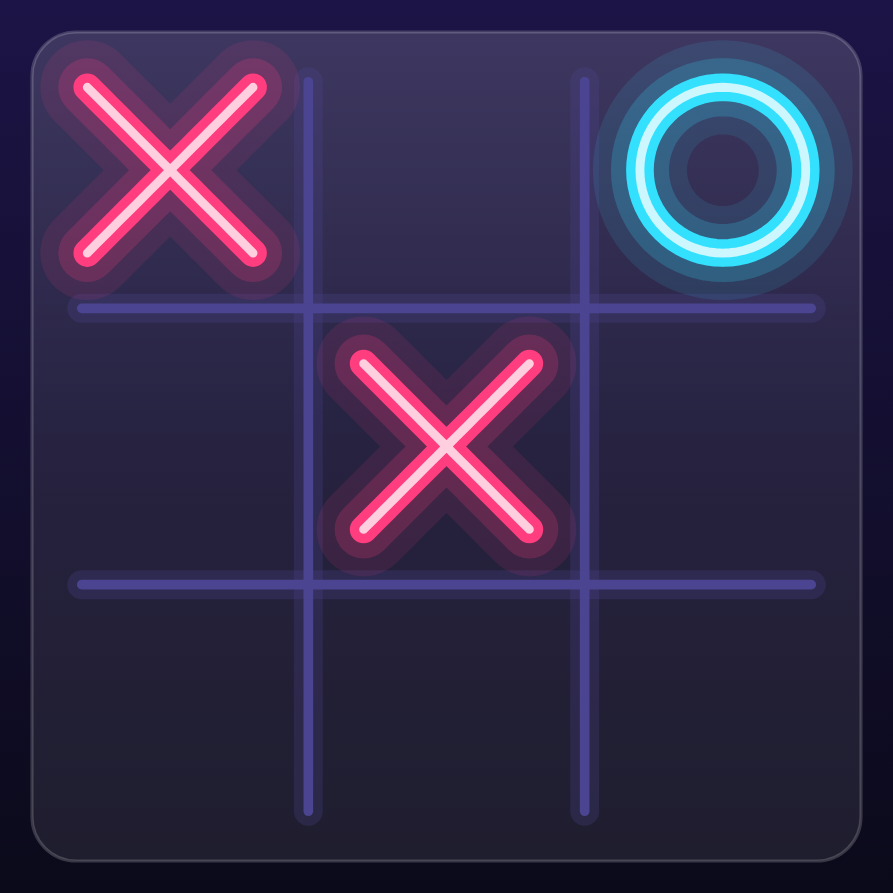
The picture above is the board exactly as the app renders it: a 3×3 grid with ✕ in cells 0 and 4 and ◯ in cell 2.
The board stores cells in a flat array, so cell i lives at row i / n, column i % n, and its centre is:
fun centerOf(i: Int) = Offset(
    origin.x + (i % n + 0.5f) * cell,   // column → x
    origin.y + (i / n + 0.5f) * cell,   // row → y
)
(ui/draw/BoardCanvas.kt). The + 0.5f moves from the cell's top-left corner to its middle — which is where each
mark above is centred.
Try it
Tapping works in reverse: col = (x - origin.x) / cell, row = (y - origin.y) / cell, then
index = row * n + col. That's exactly what the board's detectTapGestures does.
Primitive commands
| Command | Used in TTac for |
|---|---|
drawLine(color, start, end, width, cap) |
grid lines, win stroke, sparkles |
drawCircle(brush, radius, center) |
glows, particles, heat zones, avatars |
drawRect / drawRoundRect |
blocks, glass cards, tiles |
drawArc |
donut charts, glyph icons |
drawPath(path, brush, style) |
marks, hexagons, blobs, ripples |
drawText(layout, topLeft) |
letters in the hive, labels |
Every command takes either a Color or a Brush (a gradient — see chapter 7),
and a style: Fill (default) or Stroke(width, cap, join).
Strokes: caps and joins
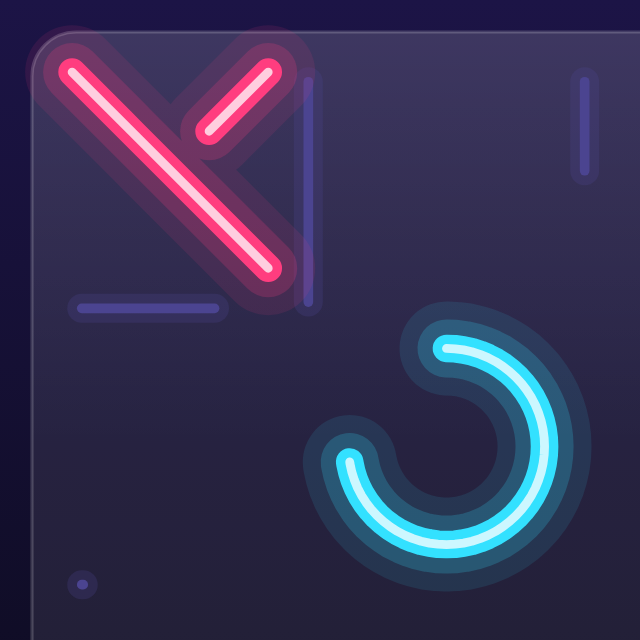
A stroke's cap decides how its ends look: Butt stops flat at the end point, Square extends a half-width
square past it, and Round adds a half-width semicircle. TTac uses StrokeCap.Round everywhere — look at the
leading end of the ✕ above, captured 180 ms into drawing itself: the pen tip is round, which is a large part of the
"bouncy" feel. Joins (StrokeJoin.Round) do the same for corners inside a path.
Paths
A Path is a list of drawing instructions:
val hex = Path().apply {
    for (i in 0 until 6) {
        val a = PI / 180 * (60 * i - 30)          // pointy-top hexagon
        val p = Offset(cx + r * cos(a), cy + r * sin(a))
        if (i == 0) moveTo(p.x, p.y) else lineTo(p.x, p.y)
    }
    close()
}
drawPath(hex, honeyGradient)
That's hexPath() from ui/draw/ArcadeArt.kt, which draws every honeycomb cell in Word Hive.
Transforms
DrawScope can move, rotate, scale and clip everything drawn inside a block:
rotate(degrees, pivot) { drawMark(…) }        // spinning stars in the backdrop
scale(scaleBy, pivot) { drawPath(cell) }      // popping hive cells
clipPath(roundedBoard) { drawHeatField() }    // keep the heatmap inside the board
Layering
Canvas drawing is painter's order: later commands paint over earlier ones. The board's Canvas draws, in
order: glass panel → heatmap → grid → threat glows → tap ripple → win heat → marks → win stroke → particles. Get the
order wrong and the glow covers the marks.
Going further
drawWithCachecachesPath/Brushobjects between frames when their inputs don't change.graphicsLayergives a composable its own render layer (hardware-accelerated transform & alpha) — ideal for movement that shouldn't redraw content.BlendMode(e.g.Plus) creates additive light; TTac mostly uses alpha layering instead because additive blending washes out on the light theme.