5. Animation & motion 🟡
Motion is what makes TTac feel "bouncy". This chapter covers the animation tools it uses, from simplest to most flexible, and the physics behind springs.
The toolbox
| API | Good for | Example in TTac |
|---|---|---|
animateFloatAsState(target) |
A value that follows a target | Segmented thumb, switch knob, card lift |
Animatable(initial) |
Imperative control: snap, animate, sequence | Mark draw-in, win line, particles |
rememberInfiniteTransition() |
Loops forever | Pulses, backdrop clock, shine sweeps |
AnimatedVisibility / AnimatedContent |
Enter/exit of whole composables | Overlays, rolling score digits, screen transitions |
keyframes { } |
Hand-authored curves | The board's "disappointed wobble" on a draw |
Easing vs springs
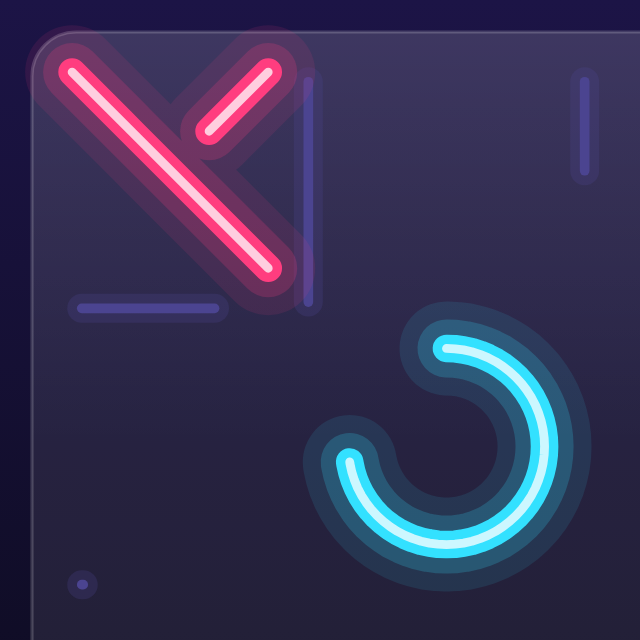
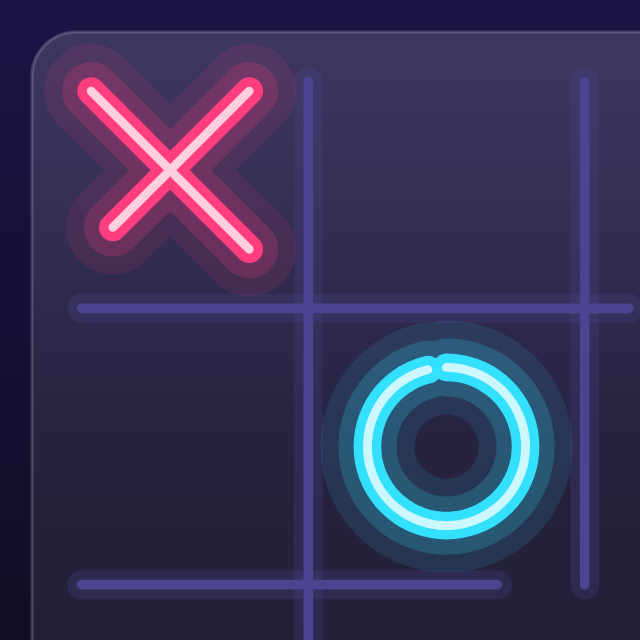
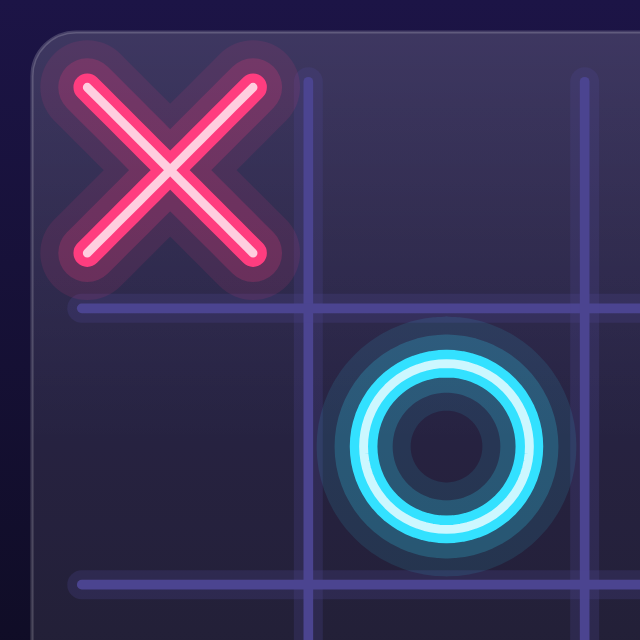
- Linear moves at constant speed — mechanical.
- FastOutSlowIn starts quick and decelerates — natural for things that arrive. The mark stroke uses it, which is why the first diagonal is already done at 180 ms but the last few percent take longer.
- Springs are physics, not curves: a mass on a spring with a damping ratio and stiffness. With damping < 1 the value overshoots the target and oscillates back — the ✕ at 300 ms is larger than its final size.
spring(dampingRatio = 0.32f, stiffness = 420f)   // mark pop: bouncy
spring(dampingRatio = 0.85f, stiffness = 1600f)  // Blocks piece glide: snappy, no wobble
| dampingRatio | Feel |
|---|---|
| 1.0 | critically damped — fastest settle, no overshoot |
| 0.5–0.75 | a little bounce — buttons, screens |
| 0.3–0.45 | very bouncy — marks, medals popping in |
Stiffness sets speed: higher = snappier. Springs also have no fixed duration, which is why they feel right when interrupted mid-flight — they carry velocity into the new target.
Why springs for UI, tweens for drawing
Anything the player touches uses springs (buttons, cards, knobs) because interactions interrupt animations. Anything that draws (strokes, the win line) uses tweens because you want a predictable pen speed.
Per-cell animations that don't cancel each other
A naive version restarts one animation per board change — and a fast AI reply would cancel the previous mark's
draw-in. TTac gives each cell its own Animatable and launches from a scope that outlives the effect:
val draw = remember(roundKey, n) { List(n * n) { Animatable(0f) } }
val scope = rememberCoroutineScope()

LaunchedEffect(board, roundKey) {
    for (i in 0 until board.cellCount) {
        if (board[i] == null || draw[i].targetValue == 1f) continue
        scope.launch { draw[i].animateTo(1f, tween(420, easing = FastOutSlowInEasing)) }
        scope.launch { pop[i].snapTo(0.45f); pop[i].animateTo(1f, spring(0.32f, 420f)) }
    }
}
LaunchedEffect restarts whenever board changes, but the launched animations belong to scope, so they finish.
Staggering
Cascades are a delay per index. Modifier.popIn(delayMs) (ui/components/Components.kt) springs a composable from
70% scale and 28dp below into place; lists call it with i * 50. On the board, grid lines stagger with arithmetic
on one progress value instead of separate animations:
One Animatable, many staggered results — cheaper and always in sync.
Frame-rate independence
Never animate by "add 3 pixels per frame" — frame rates vary (60/90/120 Hz). Compose animations are time-based:
values are functions of elapsed time, so a spring looks identical on every display. TTac's own simulations follow
the same rule. Particles are a closed-form function of burst progress b:
Position depends only on b (and a seed), so particles need no per-frame state at all.
Speed setting
The player's animation speed multiplies every duration: MarkLook.duration(baseMs) = baseMs / animSpeed. One
line, and the whole board speeds up or slows down consistently.
Going further
Animatable.animateTosuspends — sequence animations just by calling them in order inside a coroutine.rememberInfiniteTransitionvalues are read in draw scope, so a 60-second backdrop clock costs no recomposition.- Loops that must be seamless (the starfield) choose periods that divide the loop length — see Living backdrops.